I believe in the evolution of language. Words mean what most people think they mean, because language belongs to the people, not to academics or institutions. The lexicon refuses to be pinned down. Instead, it’s constantly shifting, growing, and changing shape.
While dictionaries are helpful for spellings, they tend to lag on hyphenations and don’t tend to be helpful when it comes to phrasings. My favorite tool for deciding on those issues is Google Trends.
This free tool allows you to see the popularity of a word or phrase over time. As the name implies, it’s great for understanding trends, like the decline in interest in NFTs and the metaverse. But it also allows you to compare the popularity of two or more things.
That makes it handy for making editing decisions.
Let’s play a game.
Which of these is the more common usage?
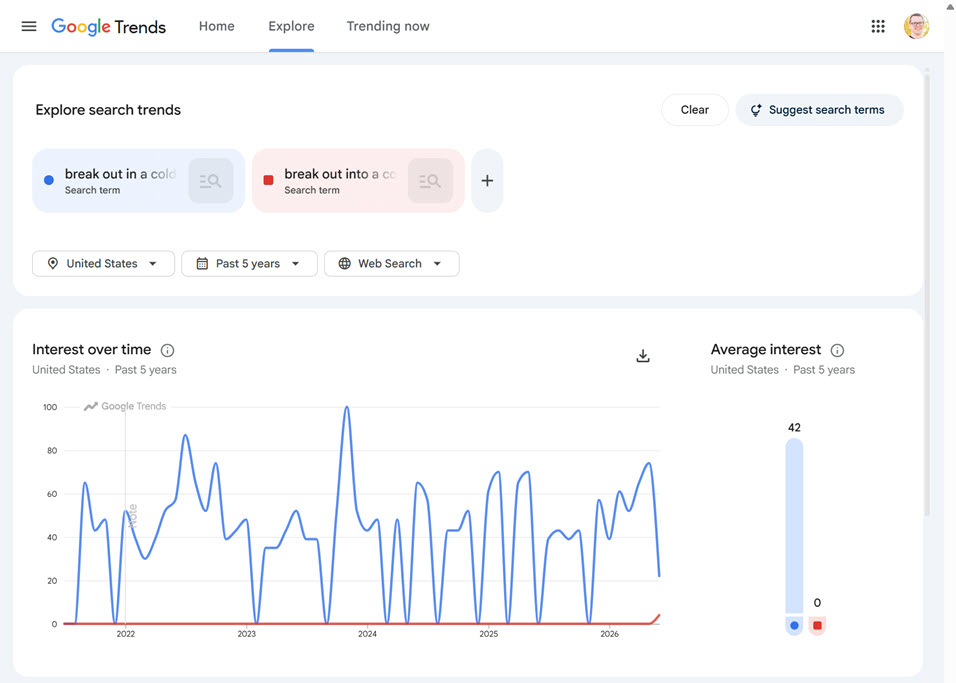
break out in a cold sweat
break out into a cold sweat
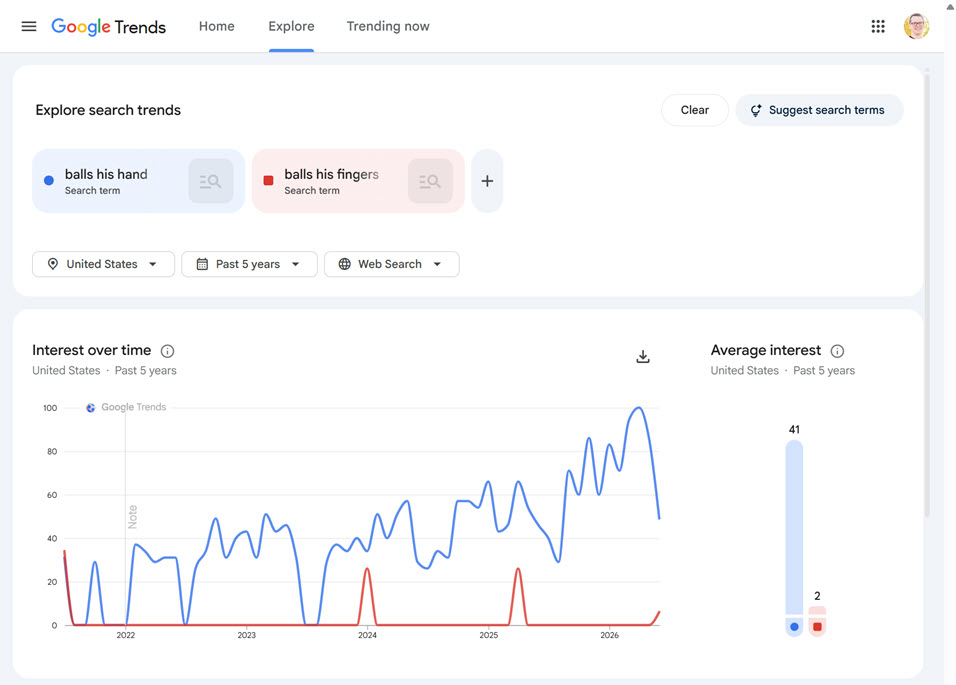
balls his hand
balls his fingers
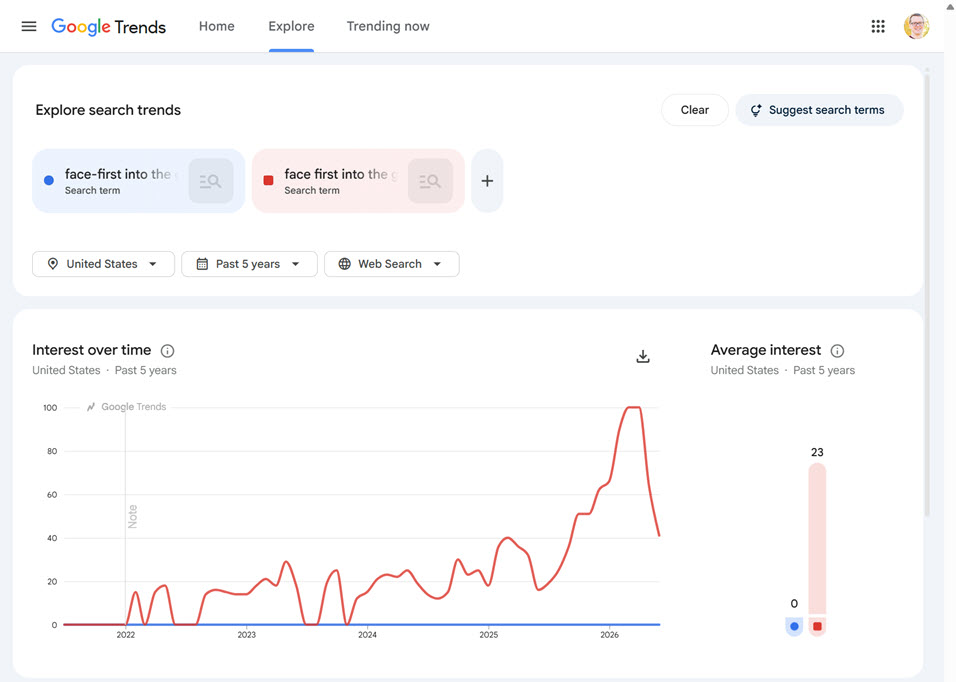
face-first into the ground
face first into the ground
over-indexed
overindexed
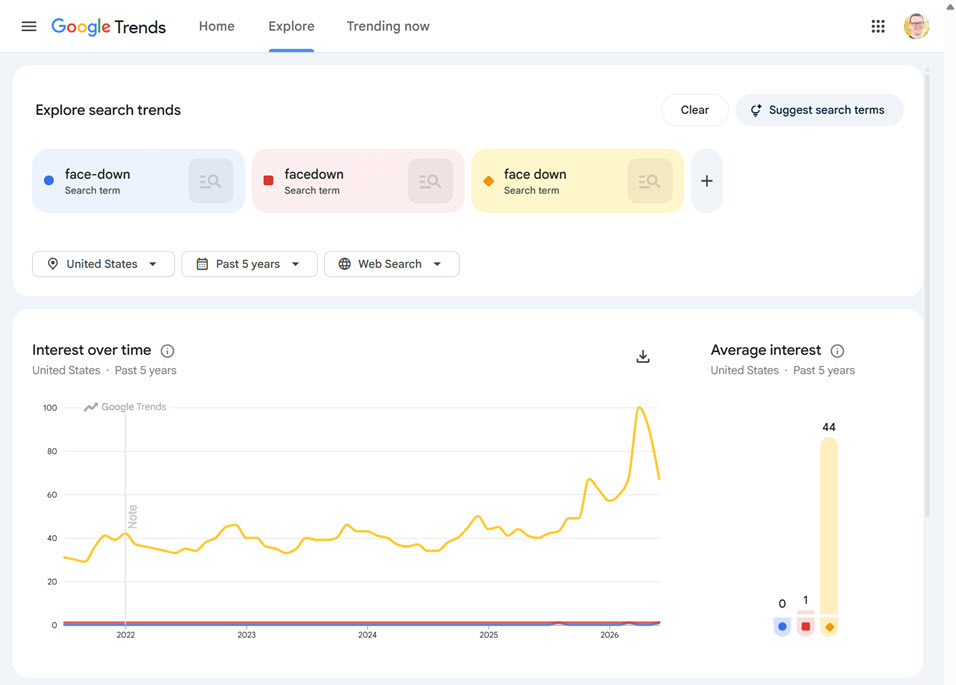
face-down
facedown
face down
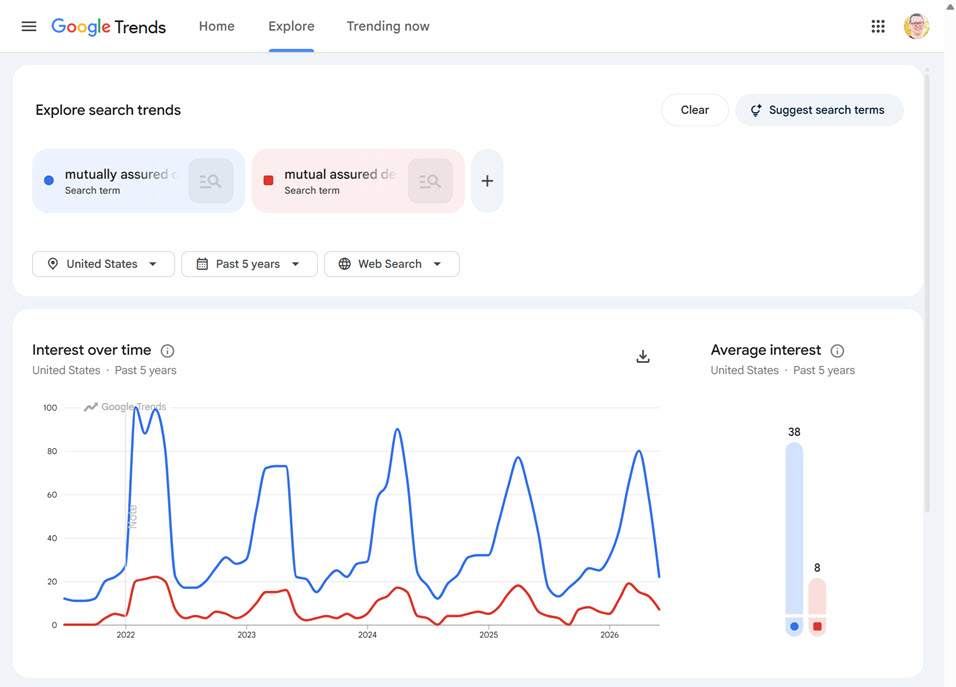
mutually assured destruction
mutual assured destruction
Google Trends gives us the answers below. Some are definitive; others less so. Regardless, it’s a helpful tool in understanding what the common usage is.
After doing painting and building maintenance all through high school, my first real job was as an intern at Texas A&M University Press. I helped build indexes and did proofreading. My finest moment was doing the last pass on Galveston and the Great West and catching an “exits” that was supposed to be “exist.” When my internship was over, they gave me a copy of the book of my choice and I chose that one, which I still have.
At the first publisher I worked for, I proofread Galveston and the Great West, which I still have a copy of
I went on to be copy chief at a financial magazine, a managing editor at Condé Nast, and an assistant news editor at Dow Jones. But despite all of that experience editing other people’s work, and as good as I am at catching my own errors, I’ve never relied completely on self-editing.
For each of my five nonfiction books, I hired a professional copyeditor. And for the first novel in my dystopian sci-fi trilogy, I hired a professional copyeditor, too.
Simply put, it’s very, very difficult to catch your own errors. Because you know what the copy is supposed to say, your mind will sometimes fill in missing words, correct incorrect verb tenses, and otherwise trick you into thinking that sentence you just read is fine.
In Good Writing, Neil Allen says, “Editors don’t improve me; they fill in my blind spots.” While he’s speaking more about developmental editors, the same is true of copyeditors and proofreaders. You need fresh eyes to catch your mistakes, and no matter what tips and tricks you use, yours will never be as fresh as someone else’s.
Self-editing tricks
That’s not to say that you shouldn’t self-edit. You should, because the more mistakes and awkward phrasings you can weed out, the better off your manuscript will be when you hand it off.
Two of the self-editing tricks I’ve found to work best are to:
Read your book aloud. It slows you down and engages your sense of hearing, not just sight. It can also give you a much better sense of the cadence and rhythm of your prose, and where you might want to speed things up or slow them down.
Print your book. Going from screen to paper is a change of form that makes the copy seem fresh and new to your brain.
Those help, but obviously aren’t foolproof. Sadly, even with a professional copyeditor, a few mistakes are likely to slip through. That was the case with three of my five nonfiction books. Thankfully, one of the great things about self-publishing is that your book can be updated.
Is error-free realistic?
But even with fixing the small mistakes I’ve heard about, I wouldn’t be shocked if there was a lingering minor mistake somewhere in each of my books. Readers will forgive that. What they won’t forgive is mistake after mistake after mistake.
In a novel I was reading recently, I encountered four errors—a missing period, a wrong name, an incorrect verb tense—in the first 150 pages. I put it down and began reading another book. That’s what hiring a copyeditor is intended to prevent.
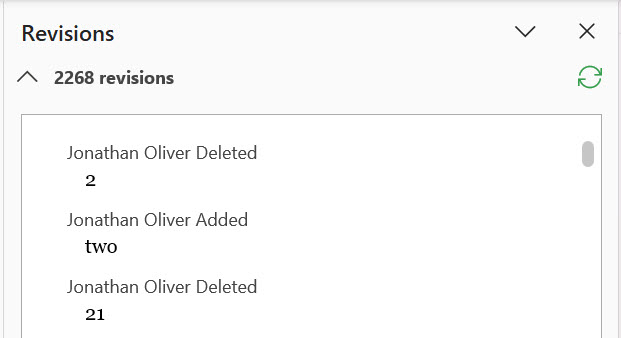
The manuscript I gave my copy editor contained more than 600 em dashes. He flagged a bunch. However, only two were for outright removal. Another 20-plus were to be replaced mostly with ellipses, as well as a few commas.
I made all the suggested changes, and even removed or replaced a few more here and there, as I really was misusing them in places.
At the same time, he suggested adding two more—and along the way I added another five.
The continuing backlash against em dashes
I get it: No writer wants their book or article or even social post to look like it was written by AI.
However, the idea that em dash use is a marker to AI use is farcical to me. You know what AI copy also uses a lot of? Commas. And periods. I’m not going to stop using those punctuation marks either.
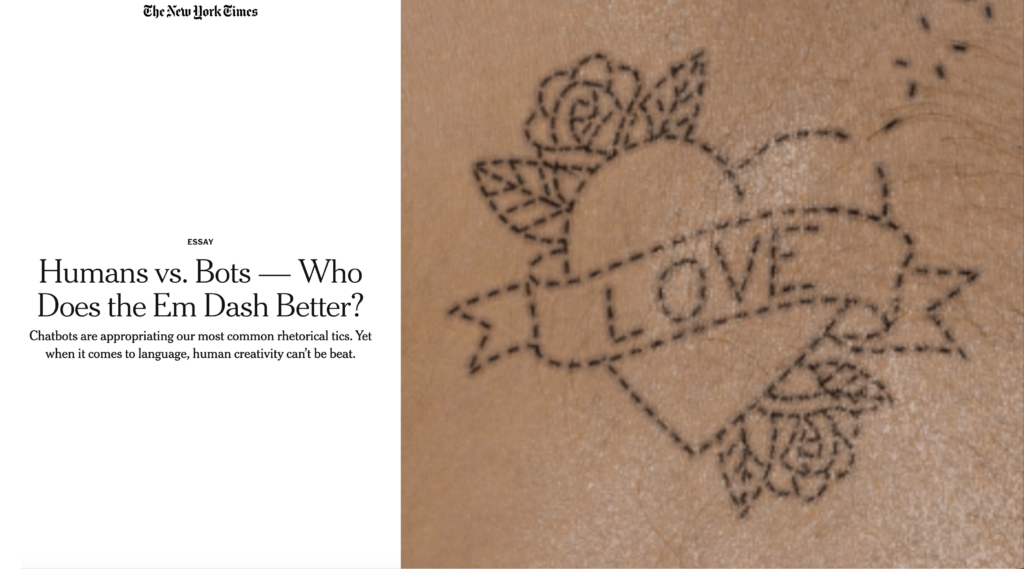
So, on the question of “Is the em dash still a worthy punctuation mark, or has chatbot output devalued it?” I agree with The New York Times (gift article link) that the em dash is “the people’s punctuation mark.” Now and forever.
Long live em dashes!
(But also, how about those ellipses? We’re not giving them enough credit.)
Besides some verb tense errors and other errors that Word spell check should have caught, my copy editor caught:
A misspelled character name that was wrong in the book, but correct in my book notes
An incorrect title for a character, which was also correct in my book notes
A “right arm” that should be been “left arm,” which created a continuity problem
A couple of “lays” that should have been “lies”; and a “laying” that should have been a “lying”
A “right” that should have been “rite”
A “mulling” that should have been “milling”
A few instances of “his” that should have been “her,” and vice-versa
Was missing am/pm on a reference to time
Was unnecessarily putting commas after interrupted dialogue (i.e., “But I—,” he stammers. >> “But I—” he stammers.)
Sounds like click-clack and clip-clopping that weren’t italicized
Some internal dialogue wasn’t italicized
Inconsistent styling of internal dialogue quotes
My copy editor also flagged a couple of things he wasn’t sure about, which allowed me to clarify those in the text to avoid confusion.
What I didn’t change
My copy editor recommended adding spaces on either side of the many, many em dashes in my novel, but I kept them without. I also didn’t spell out numbers that were 10 or more, or numbers that have units of measurements with them.
Those recommendations are based on The Chicago Manual of Style. As a former journalist, I guess I’ve spent too long following AP Style, which always favors more compact communication. I’m willing to roll the dice on bucking Chicago Style and see what happens down the line.
Spell Check: Microsoft Word vs. Google Docs
I’ve known for a while that Microsoft Word’s Spell & Grammar check isn’t good, especially compared to Google Docs’, which is excellent. However, some of the simple typos and grammar errors that my copy editor found really laid bare how awful Word is at understanding basic grammar. I may need to make a switch for my future novels.
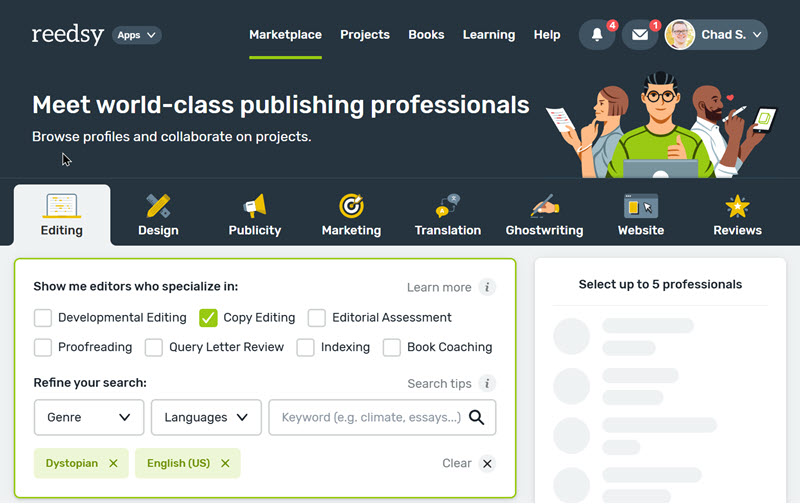
After nearly 6 months of revisions while working with my developmental editor, I’ve now handed my novel off to my copy editor, Jon, which I also secured via Reedsy.
What they’re doing
The scope of work includes:
Identifying and correcting any spelling, grammar, factual, and formatting errors
Editing to ensure the consistency of the prose and the clarity of the narrative
Supplemental materials
To aid in this effort, I supplied them with:
A character list
A timeline of major events, including dates
A glossary of 27 terms, including neologisms and other words and phrases that have a unique meaning in my book world
A style guide that specifies the verb tense used throughout the novel, the fonts used, and the styling of internal dialogue, recalled dialogue, official titles, song and book titles, etc.
Scheduling
In an effort to give myself some extra motivation, and because editors schedule months in advance, I booked both my developmental editor and copy editor at the same time. I kicked off work with my developmental editor in November of last year and got my manuscript back (with editorial letter, etc.) in mid December. And I assumed that I’d be able to turn around the edits by the beginning of March. I was wrong.
I had to push the start of copy editing back a month. Thankfully, I recognized the need early enough that my copy editor was able to switch my scheduled block with another client. Even with the start date pushed back, I was rushing. I suspect there are some additional errors because of the speed of revisions. I guess we’ll see.